0

Cybersecurity: Summary

Viruses and Malware -- a computer security vulnerability wherein one computer could send another instructions to delete everything on it or take it over, or impersonate another's identity by guessing, cracking, or extracting a password.  
These vulnerabilities will never be rid of, because they are built in the internet's very architecture.

Photo from checkpoint.com


Public-Key Cryptography

  • Begins with a publicly available number
  • Addition of secret numbers, Private number A, to be mixed using;
  • Modular Math, or mathematical operations, with a another number;
  • Private Number B, to create a secret key.

For example, one's email service will use this secret key to transform and scramble your message. It will then transmit your coded message to your recipient, wich will also use this secret key to reverse the transformations and reveal the message you've sent.


Hacking -- "creative" problem-solving that takes advantage of the property of things in unexpected ways. 

Computer Hacking -- "creative" problem-solving that takes advantage of the property of computers and networks in unexpected ways. 

When one hears the word "hacker," it initially gives off a negative connotation, but the role of a hacker is flexible; Hackers can be a range of people, from criminals for theft, government for surveillance workers, to hacktivists for political agendas. Whether they're good or bad depends on why they hack in the first place. 
0

Encryption: Essential Questions

1. How is encryption accomplished to safeguard data exchange?

Photo from cdn.pixel.privacy.com
According to us.norton.com, Encryption is the process of converting ordinary text, such as a typed email or message, into an unreadable format called “cipher text.” This helps protect the confidentiality of digital data either stored on computer systems or transmitted through a network like the internet.

When the intended recipient accesses the message, the information is translated back in the form of decryption.

To unlock the message, both the sender and the recipient have to use a “secret” encryption key — a collection of algorithms that scramble and unscramble data back to a readable format.


2. What methods are used to compress data?

There two methods used to compress data, lossy and lossless compression.


3. What is lossy and lossless data compression?

According to ukessays.com, Lossless data compression makes use of data compression algorithms that allows the exact original data to be reconstructed from the compressed data. This can be contrasted to lossy data compression, which does not allow the exact original data to be reconstructed from the compressed data.


4. What ethical dilemmas are created from access to data?

When one is give access to data, this means we have a plethora of information such as charts, recipes, art, records, music, etc. at our disposal. One major ethical dilemma that may arise from this is the means one of accessing data (and disclosed data), and the manner and usage of such.
Mary Ann Baily from nap.edu outlined positions at both extremes of the policy debate over data access, then made the case for pursuing a middle ground—striking a balance between the right to be left alone and the obligation to cooperate in the pursuit of communal goals.

0

Big Data

Here's some back-to-back content, as this post is related to my previous big data one. Here's some more thoughts on Big Data:

How is Big Data related to Computer Science?

 According to www.educba.com, big data falls under data science, which is a subset of computer science. In addition, the interpretation and analysis of big data is closely dependent on the mechanics of computer science, as we definitely need to rely on machines to do nitty-gritty tasks like organization and presentation, while humans will find the conclusions and act upon the results of the big data.
Photo from milo.medium.com


What makes data "big?"

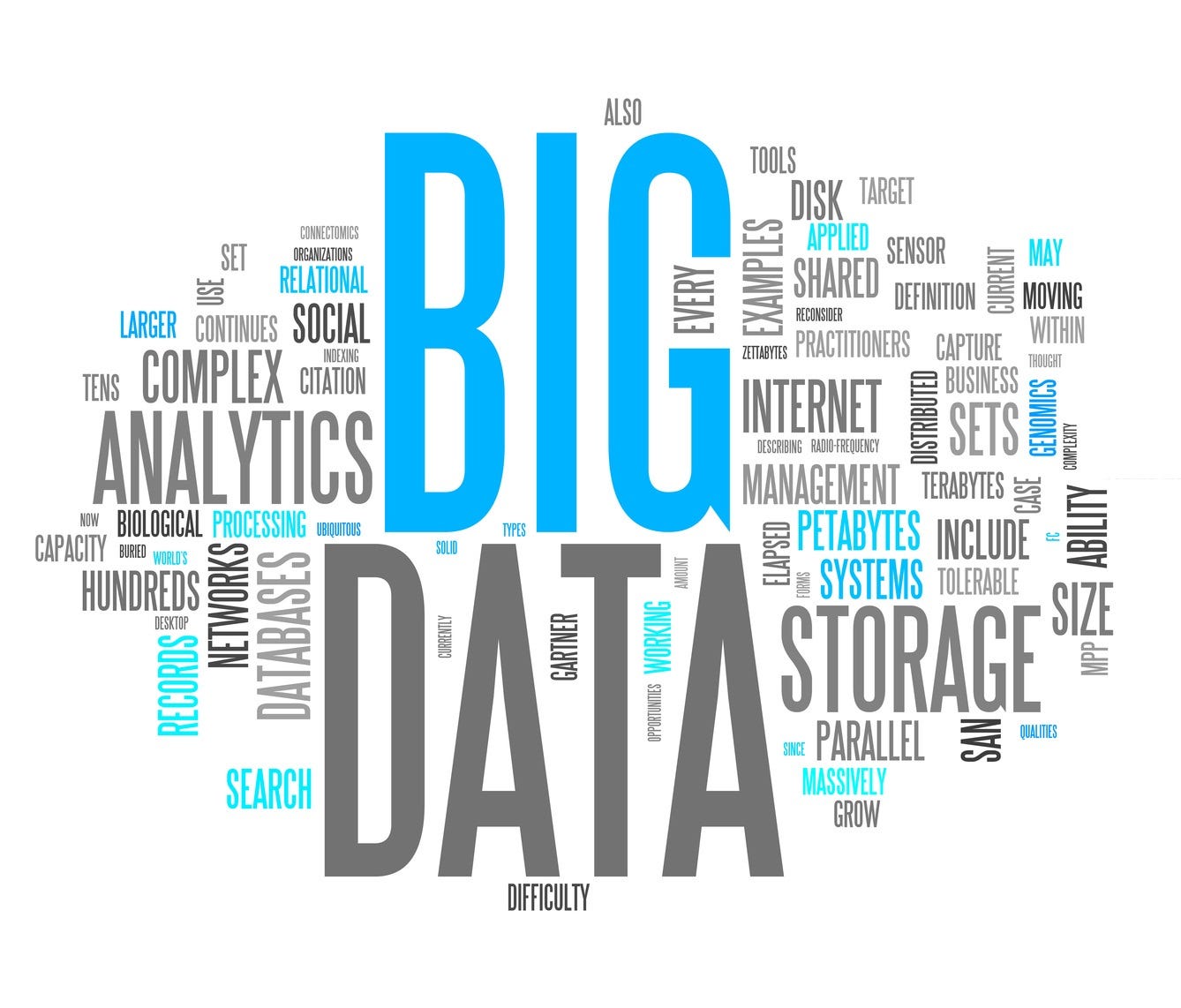
What makes big data "big data" is the fact that it the information of a certain subject is capable of producing mass amounts of data and metadata at an instantaneous rate to the point that its organisation, interpretation and analysis cannot keep up with the continuous influx of information.


What are three things you learned about Big Data from the videos?

1. I've learned that Big Data's definition is far more deeper than the self-explanatory nature of its name.

2. Big Data is most notably known for it's assistance in determining what's trending in nearly all social media sites and platforms, from YouTube, Twitter, Tumblr, etc.

3. The effects of big data, if furthered, can greatly alter our lifestyle. As more big data is interpreted and used to cater to a demand, the various aspects of life such as entertainment, education, etc. will greatly improve and come to affect a wider audience.

Photo from cdn.datafloq.com

0

Intro to Big Data & the Joy of Stats

Hello! I've heard that this 'big data' will be an important term later in the year, but to think that 'later' would come to be now. times flies. Here are three videos showcasing application Big Data to get a better wrap around the concept. 

1st Video: What is Big Data and How Does it Work?

The video dives straight into application of big data itself rather an than providing a direct, textbook definition. It can be inferred from the examples within the video that big data is the processing of massive myriads of data to used in further catering to the interests of those affected by the information such as users, clients, gamer, etc.


2nd Video: What is Big Data?

This 2-minute video of the same title begins with the statement: As technology advances, items that will collect and transmit data will increase as well, bringing the need for the interpretation and analysis of such. The video then explains that the influx of this miscellaneous information called big data and the how it can be made sense of and serve as relevant to us. The narrator then hints the potential endless purposes big data may come to provide.


3rd Video: The Joy of Stats

The video begins with a personal commentary of Han Rosling himself introducing his large statistic project demonstrating the quality of life of 200 countries through the categories of life expectancy and average wage. While this does not explicitly state anything regarding big data, The video is great example of big data and its capabilities because Rosling managed to analyze a huge mass of data and interest then present it in a meaningful and beneficial manner.


0

Post X: Computing and Data

Hi! Seeing concentrations and clusters of data make me dizzy, especially when they're formatted in spreadsheets. I wish analyzing information could be as easy as reading from a picture book. 

But besides causing me nausea, there are definitely a lot of benefits to having data processes and analysis. here are some questions that answer that.

How can computing help process data and information to allow gaining insight?


  • Computers have the ability to perform tasks and organize data in larger quantities and shorter times with little to no error. It goes without saying that such power and speed easily surpasses that of humans. When these time-consuming and arduous processes are covered, people can now focus on the bigger picture and see their data as a whole, creating new insights that enable us to further enhance the quality of information processing and help point out mistakes ever noticed before.

What considerations should be employed in manipulating data?

  • According to ori.hhs.org, Whether statistical or non-statistical methods of analyzes are used, one should be aware of the potential for compromising data integrity. While statistical analysis is typically performed on quantitative data, there are numerous analytic procedures specifically designed for qualitative material including content, thematic, and ethnographic analysis. Regardless of whether one studies quantitative or qualitative phenomena, researchers use a variety of tools to analyze data in order to test hypotheses, discern patterns of behavior, and ultimately answer research questions. Failure to understand or acknowledge data analysis issues presented can compromise data integrity.

How can large datasets allow for finding patterns in order to problem solve and make predictions?

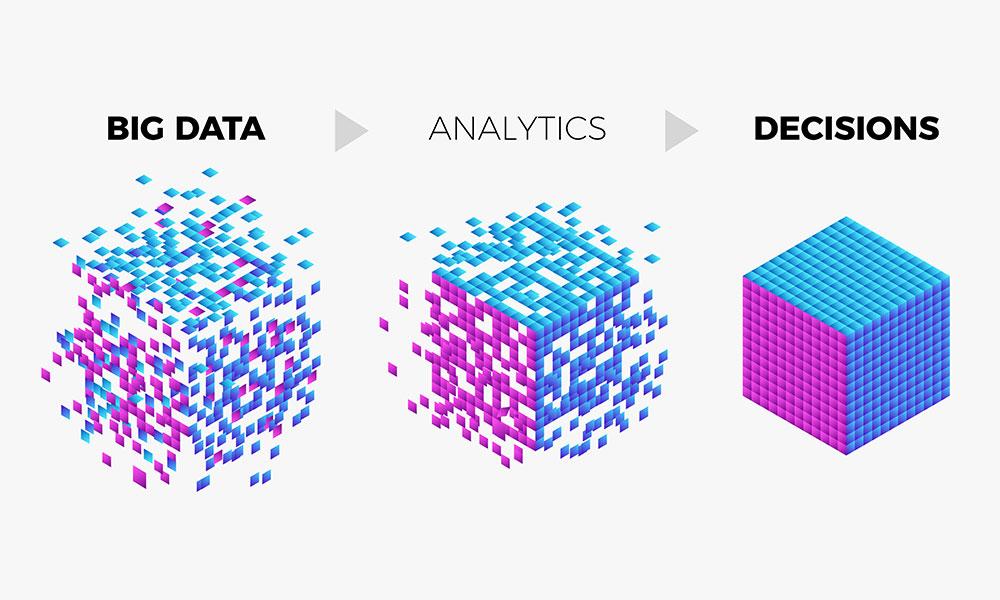
  • Big data analytics examines large amounts of data to uncover hidden patterns, correlations and other insights. With today’s technology, it’s possible to analyze your data and get answers from it almost immediately – an effort that’s slower and less efficient with more traditional business intelligence solutions.
Photo from sas.com


0

Post IX: GUI and Program Design

Hi again! To be honest, I've only felt minuscule inklings towards programming and all things computer science, thinking my maximum computer interaction would be limited to Adobe and Clip Studio Paint (my digital art program), as I have a huge affinity for the arts. Although upon taking Computer Science Principles, I now can't help but want to incorporate what I've learned into what I love, and what resulted from that is this interest in Graphic User Interface (GUI) and Web Design, as I see the topic as a reasonable application for both.

Below are some questions regarding these two and a bit more.

1. What elements must be considered in designing a user interface?

According to Oluwatobi Akindunjoye of UX Colllective, the fundamental elements of interface design are:


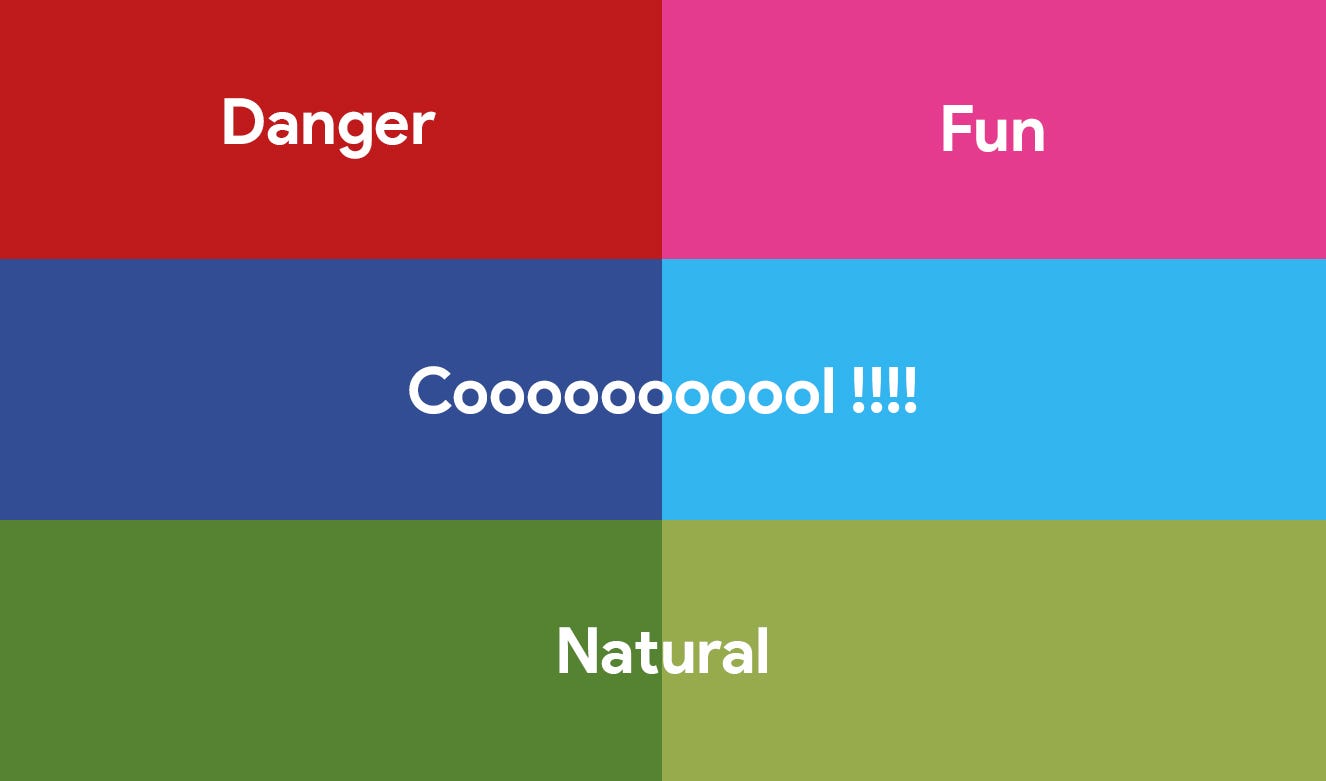
  • Language - Words are important when working with titles or the name of a brand. The phrasing and tone of your words can be used to set and direct the intents and atmosphere of your website, which may be serious, playful, etc.
  • Color - They are used to either set the mood of one's website or help your website's navigation.
Photo from miro.medium.com
  • Imagery - Can come in different styles such as shapes, illustrations, photography, 3D renderings, etc. But whatever the style, they can serve as content, mood, and navigation.
  • Typography - This can serve as the content on which we consume or can serve as a part of once's interface. Certain fonts and styles can determine the readability and professionalism of one's website.
  • Icon - Icons are a special kind of imagery that allow one to explain one's own services with a hint of personal visual style. They also bring recognizability that enable others to differentiate you from other designs.

2. What abstractions and layers of abstraction are in programs?

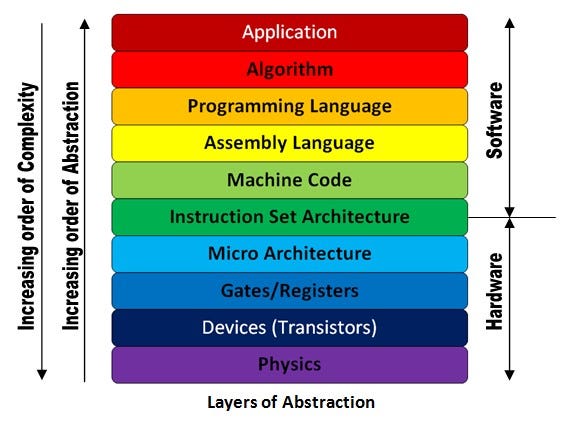
  • According to Sweetwater.com, in computing, an abstraction layer, or abstraction level, is a way to hide the implementation details of deep functionality, allowing the separation to facilitate interoperability and platform independence. This is how peripherals can work with computers using different operating systems. For example, an audio interface can connect to the USB port of a computer running either macOS or Windows; the interface doesn’t need to be re-coded to work with each operating system, instead the interface only needs to have a driver that can run on each operating system’s abstraction layer.


Photo from milo.medium.com

3. How are well developed algorithms a component of programming and program design?

  • An algorithm is defined as a process of specific steps in order to accomplish a task. They are the instructions integrated into a program and then given to a computer. The more specific, clear, and thorough one's instructions, the less often one will encounter problems in their program. 

0

Flowchart: Essential Questions

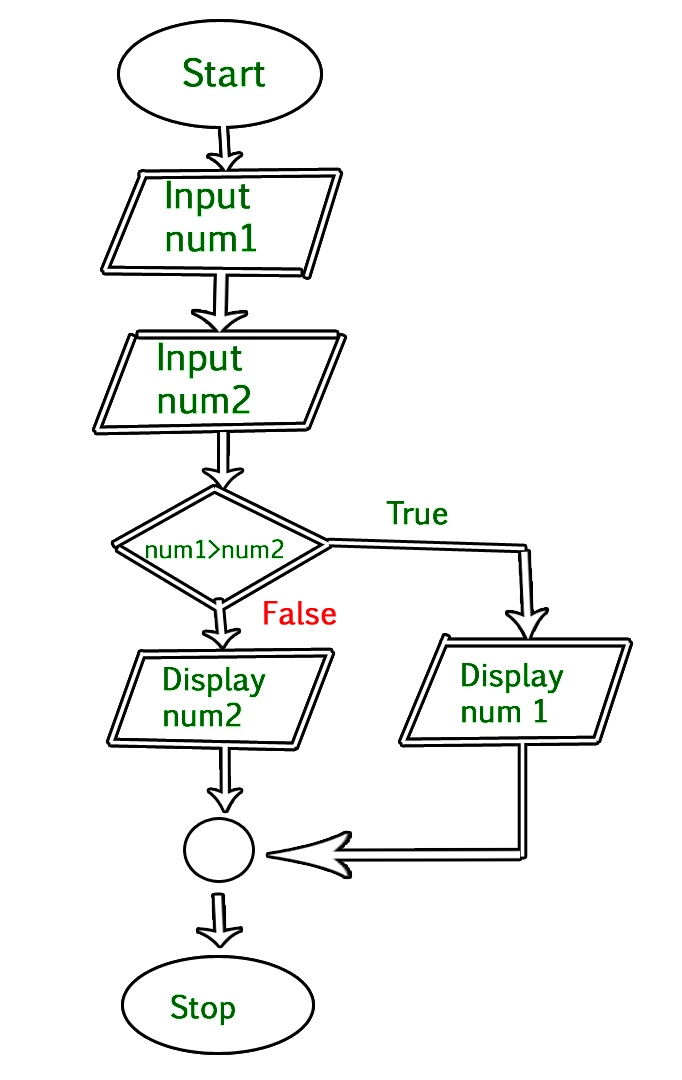
As a visual and spatial learner, the linear format of coding in nearly every programming language can be an occasional eyesore. Which is why aside from planning out a program, I find flowcharts just the thing to keep me from crossing my eyes when coding.

To further emphasise the concept of flowcharts, here are some essential questions to fill your head:


1. Why are flowcharts useful to illustrate programs?

  • As stated in inc.com, flowcharts are an important tool for the improvement of processes. By providing a graphical representation, they help project teams to identify the different elements of a process and understand the interrelationships among the various steps. Flowcharts can be used to document not only programs for coding, but also virtually any type of business system, from the movement of materials through machinery in a manufacturing operation to the flow of applicant information through the hiring process in a human resources department.


2. What are reasons programmers use flowcharts?

  • According to Sampson Quain's article on the topic, flowcharts are used to define a work process, evaluate the timing of tasks, and troubleshoot and fix problems. One of the most important uses of flowcharts are to depict through images how a process is performed from start to finish, typically in sequential order. A process flow diagram is often used in training to document an existing process or to evaluate the efficiency of that process. Another important purpose of flowcharts are to identify how long it takes to complete each task in a specific process. This is especially useful when you are analyzing deadline-oriented tasks and processes because flowcharts show you areas in which tasks require more efficiency and areas in which the completion of one task is dependent on the completion of another task. That’s why troubleshooting is also another vital purpose of flowchart. It’s difficult to fix bugs and problems in workflow, especially if you don’t know what went wrong and at which stage in the process it went wrong.


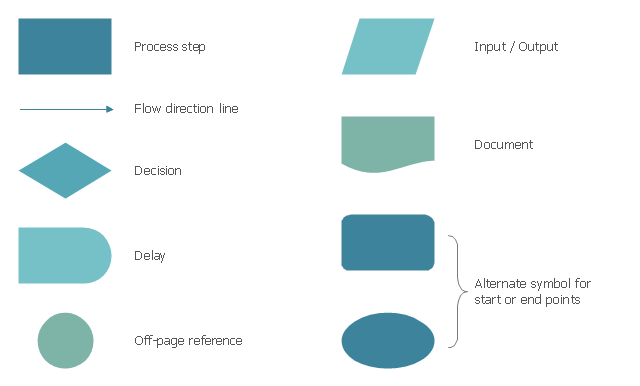
3. What are the elements of a flowchart?

According to geeksforgeeks.org, the basic element of a flowchart are as 
follows:

  • Terminal – An oval symbol that indicates start, stop, and halt in a program's logic flow. Terminals are the first and last symbols in a flowchart.
  • Input/Output – A parallelogram that denotes any function of input/output type.
  • Processing – A box represents arithmetic instructions. All arithmetic processes such as adding, subtracting, multiplication and division are indicated by action or process symbol.
  • Decision – Diamond symbol represents a decision point. Decision based operations such as yes/no question or true/false are indicated by a diamond in a flowchart.
  • Connectors – Whenever flowchart becomes complex or it spreads over more than one page, it is useful to use connectors to avoid any confusions. It is represented by a circle.
  • Flow Lines – Flow lines indicate the exact sequence in which instructions are executed. Arrows represent the direction of flow of control and relationship among different symbols of flowchart.


Photo from conceptdraw.com

4. How does Sequencing affect a programming project or plan?

  • Sequencing allows the flow of a project or plan to go smoothly. Applying proper sequencing before the execution of a project allows one to ascertain at least a brief overview of the possible work load, work flow, and begin to appropriately allocating work accordingly. This also gives one the upper hand for time management and checks on the feasibility of your project.


5. How do computers receive instructions?

  • According to computer hope.com, a computer is given instructions by a human using a keyboard or another input device. To interpret these instructions, the computer uses an operating system, or software that is also programmed by a human to translate the user commands into something the computer can understand.